Github push 的时候报错超时
使用 ping 工具也无法连上 Github
方法一
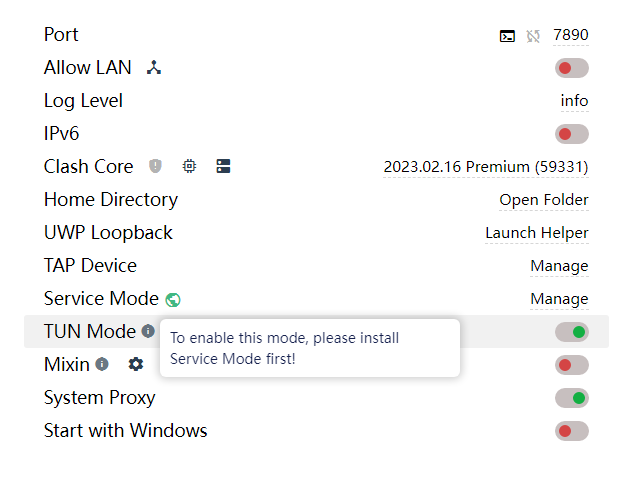
这时候我们需要让所有的网络连接都走代理
解决方案:开启 TUN Mode
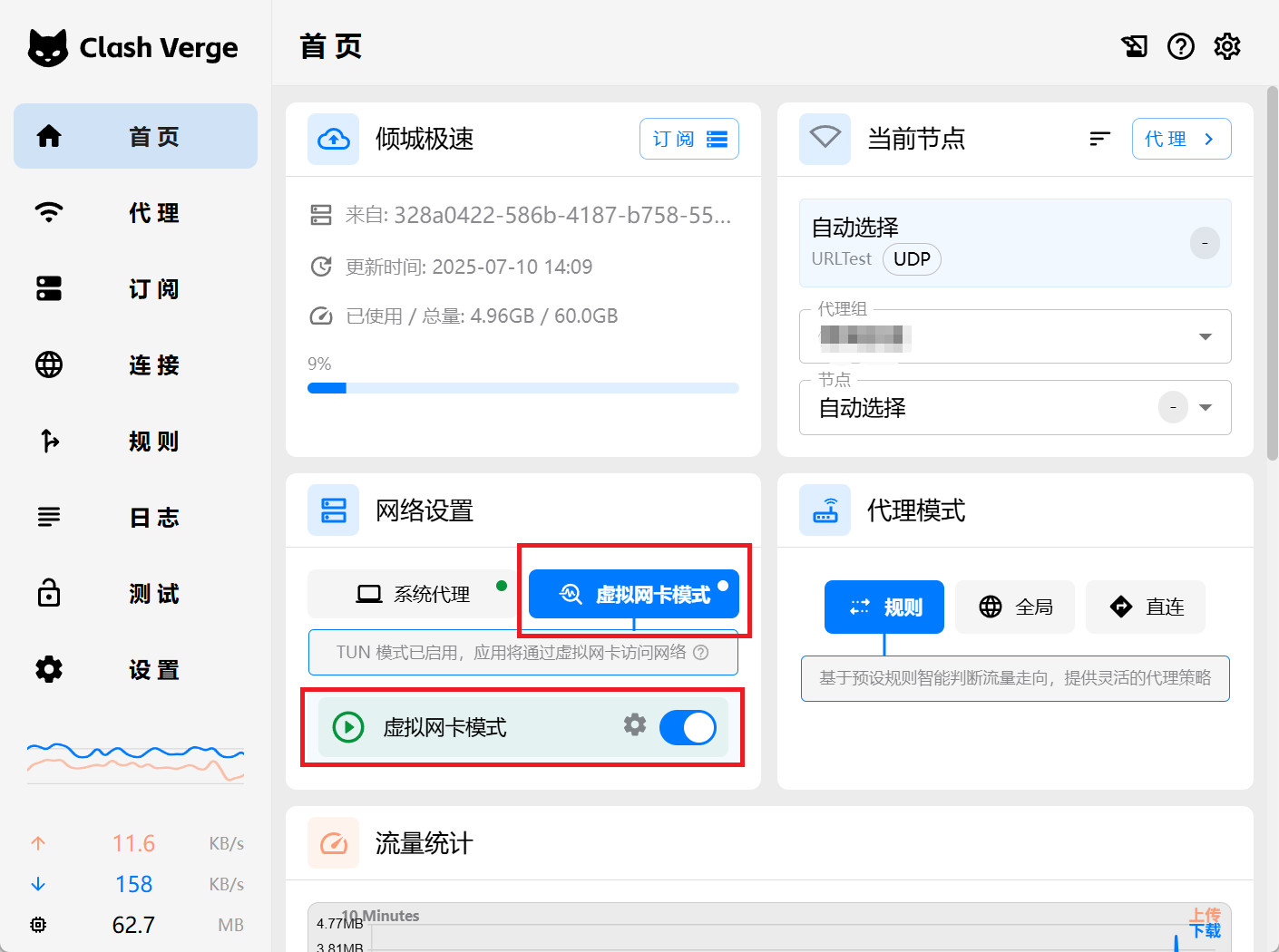
新版操作如下:
方法二
打开代理工具,查看port,大部分为 7890,少部分为 7892。
为所有仓库设置全局代理
git config --global http.proxy socks5://127.0.0.1:7890
git config --global https.proxy socks5://127.0.0.1:7890
为特定仓库设置代理
cd 项目目录
git config http.proxy http://127.0.0.1:7890
git config https.proxy http://127.0.0.1:7890
如果不再需要使用代理
可以使用以下命令清除代理设置
git config --global --unset http.proxy
git config --global --unset https.proxy